
The Maple data lake (DuckLake) #
On this page
The lake is where your usage history goes to stay. The daily files and PostgreSQL keep a window (90 days unless you change it); the lake keeps every record it was given, in a form that is quick to query over months or years, and lets you read it as it was at an earlier point. This page sets it up on one machine and for a team, and covers upkeep, time travel, hubs, backups and what to do when something goes wrong. Which store to use when is on Your data; queries are in Query your usage.
In plain words #
- What it is. A place for your whole usage history, quick to query over months or years, that you can also read as it was on an earlier day.
- Why you want it. The daily files keep 90 days by default; the lake keeps everything.
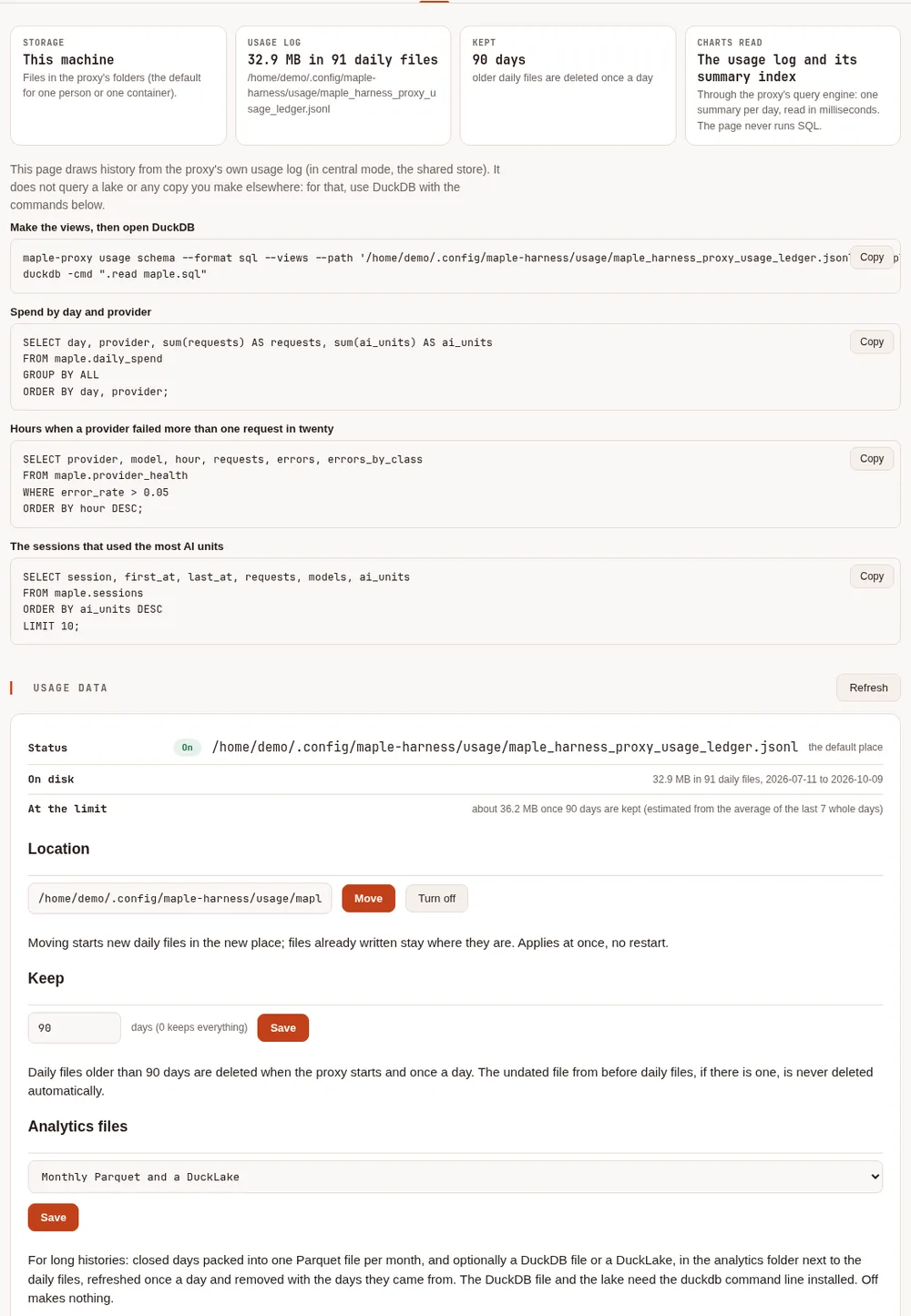
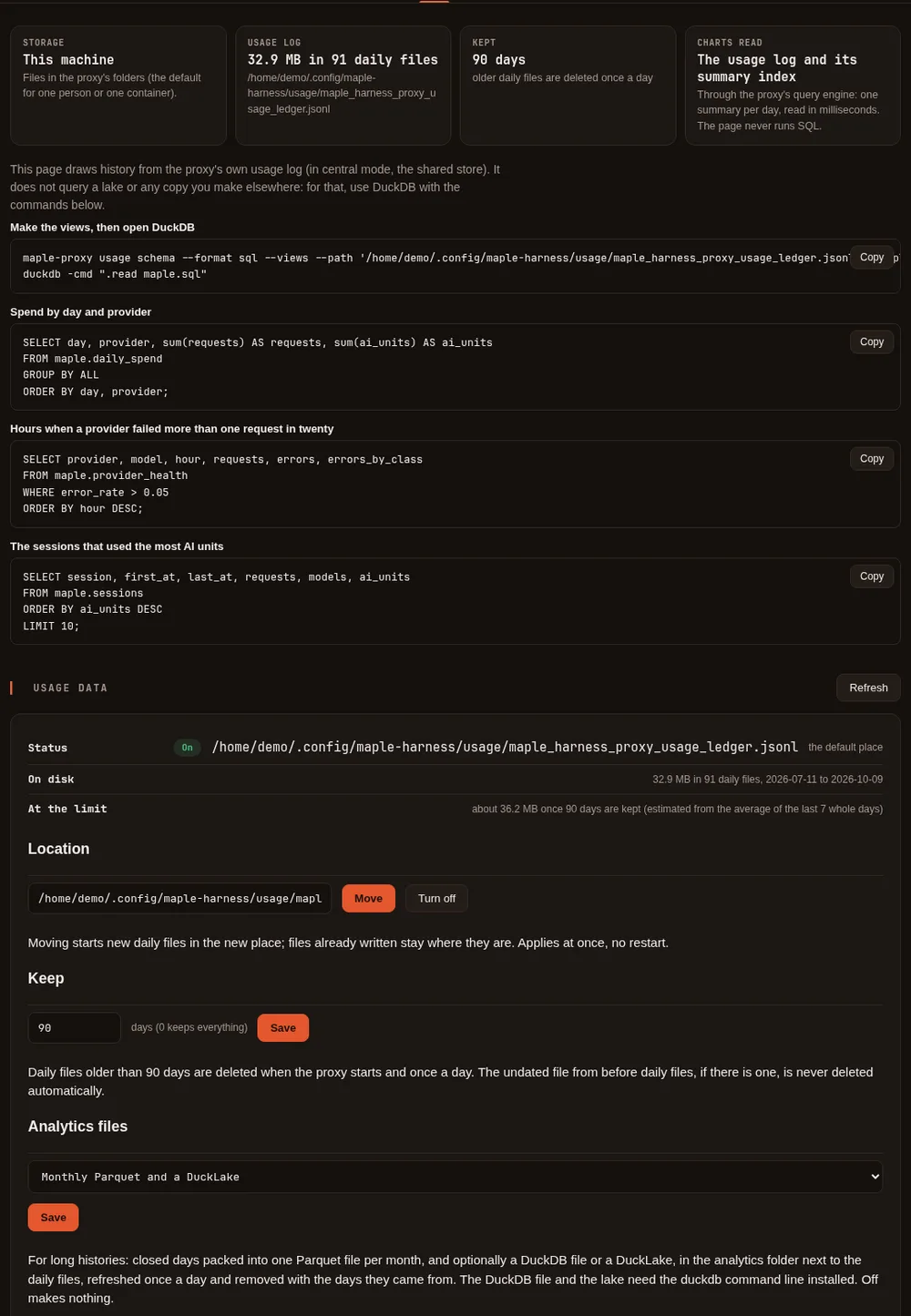
- The clicks. On the setup page, Data & storage, Usage data, set Analytics files to keep a lake, and
Save. It needs the
duckdbprogram installed. The tab then shows the lake's state. For a team, the steps follow.
What DuckLake is #
DuckLake is an open table format from the makers of DuckDB. It has two parts:
- data files: your usage records as Parquet files, in a folder or in object storage (S3 and compatible);
- a catalog: a small database that lists those files and every change made to them. On one machine it is a DuckDB file; for a team it is a schema in PostgreSQL.
Each change is a snapshot, so you can ask what the lake held at an earlier one. You query it with your own
duckdb program, in plain SQL, with the same usage table and maple.* views as everywhere else.
The proxy fills the lake and writes the SQL for it; it never runs DuckDB inside itself and never downloads anything.
Before you start #
- Install DuckDB's command line, from duckdb.org, and put
duckdbon yourPATH(or pass--duckdb /path/to/duckdb). These pages were tested with DuckDB 1.5.6. - Install the extensions the lake needs, once:
duckdb -c "INSTALL ducklake"                        # every lake
duckdb -c "INSTALL postgres"                        # a team lake (its catalog in PostgreSQL)
duckdb -c "INSTALL httpfs; INSTALL aws"             # data in S3
The proxy runs
duckdbwith automatic extension downloads turned off, so a missing extension is an error, never a download you did not ask for.
On one machine #
maple-proxy usage lake makes a lake from your daily files, or adds to it what they gained since the last run. By
default it lives in analytics/lake inside your usage folder: the catalog maple.ducklake and a data folder, both
private to you. See what it would do first; --dry-run writes nothing:
$ maple-proxy usage lake --dry-run
would load 67,720 new line(s) (41.1 MiB) from 119 daily file(s) into DuckLake (catalog /home/demo/.config/maple-harness/usage/analytics/lake/maple.ducklake; data /home/demo/.config/maple-harness/usage/analytics/lake/data/)
Estimated, from about 550 usage line(s) a day, averaged over the last 7 day(s) and an inlining limit of 10000 rows:
  a daily refresh holds about 550 row(s): kept in the catalog, no data file written.
  The daily upkeep writes them out: about 1 to 2 file(s) (usage, events), and merging may write 1 to 2 more.
  Object-store writes: about 2 to 4 a day.
$ maple-proxy usage lake
DuckLake (catalog /home/demo/.config/maple-harness/usage/analytics/lake/maple.ducklake; data /home/demo/.config/maple-harness/usage/analytics/lake/data/): loaded 67,720 new line(s) from 119 daily file(s); 67,720 request row(s), 0 event row(s)
done in 1.098s
The next day, only the new day's lines are read:
$ maple-proxy usage lake
DuckLake (catalog /home/demo/.config/maple-harness/usage/analytics/lake/maple.ducklake; data /home/demo/.config/maple-harness/usage/analytics/lake/data/): loaded 749 new line(s) from 1 daily file(s); 68,469 request row(s), 0 event row(s)
done in 712ms
--catalog FILE and --data FOLDER put it somewhere else, and --data s3://bucket/prefix/ puts the data files in
object storage.
Let the proxy keep it current #
Set Analytics files to Monthly Parquet and a DuckLake on the setup page's Usage data card, or in
config.yaml:
server:
  usage_analytics: lake
The proxy then refreshes the lake and runs its upkeep when it starts and once a day after the usage cleanup, with your
duckdb program. It also packs the closed days into monthly Parquet files (parquet does only that, and duckdb
keeps a DuckDB file instead of a lake). off, the default, makes nothing. Without duckdb on the PATH, the proxy
makes only the monthly Parquet files and says so once in its log. What it logged on a start with 120 days of files
and a 90-day retention:
mapleharness proxy: usage log cleanup (keep 90 days): removed 30 old daily file(s), 8.7 MiB, from /home/demo/.config/maple-harness/usage
mapleharness proxy: usage analytics: 1 monthly file(s) written, 0 removed, in /home/demo/.config/maple-harness/usage/analytics
mapleharness proxy: usage analytics: lake refreshed: 1 new line(s) from 1 file(s)
The cleanup removed the oldest 30 days of files; the lake still has them:
$ duckdb -table -cmd ".read lake.sql" -c "SELECT count(*) AS requests, min(\"at\")::DATE AS first_day, max(\"at\")::DATE AS last_day FROM main.usage"
+----------+------------+------------+
| requests | first_day  |  last_day  |
+----------+------------+------------+
| 68469    | 2026-06-11 | 2026-10-08 |
+----------+------------+------------+
The monthly Parquet files and the DuckDB file are different: they follow the daily files, and lose a day when the cleanup deletes it. Only the lake keeps history the daily files no longer have. To remove the lake, delete its folder.
Query it #
--emit-sql attach prints what to run in duckdb: it attaches the lake read-only.
L=~/.config/maple-harness/usage/analytics/lake
maple-proxy usage lake --emit-sql attach --catalog $L/maple.ducklake --data $L/data > lake.sql
duckdb -cmd ".read lake.sql"
-- Maple usage lake, read-only. Needs DuckDB with the ducklake extension (INSTALL ducklake; once).
LOAD ducklake;
ATTACH 'ducklake:/home/demo/.config/maple-harness/usage/analytics/lake/maple.ducklake' AS maple_lake (DATA_PATH '/home/demo/.config/maple-harness/usage/analytics/lake/data/', READ_ONLY);
USE maple_lake;Inside, main.usage and main.events hold every record, and the named views
(maple.daily_spend, maple.sessions, maple.people and the rest) work as they do over the files. Recipes are in
Query your usage.
For a team: PostgreSQL and a shared lake #
This section is for central mode: several copies of one proxy sharing PostgreSQL and
Redis. A team on one shared proxy with daily files uses the single-machine lake on the hub.
Storage mode redis (several replicas, no PostgreSQL) has no
lake: usage lake is refused there; export the usage (usage export) to keep history elsewhere, or use central
mode.
PostgreSQL is the live database: every replica writes its usage there, and it keeps storage.retention_days of it.
The lake keeps the history: its catalog is a schema of the same PostgreSQL (maple_lake by default) and its data
files are on a volume or in S3. A scheduled job moves what PostgreSQL stored into the lake, every hour; the proxy's
pods do nothing for it and need no DuckDB.
What the move does #
- It takes the rows PostgreSQL stored since the last move, in the order PostgreSQL stored them, and only those stored
at least an hour before the run (
--settle 1h), so a write still in progress is never skipped. - A line that arrives late with an old time (a hub's backlog from below, a replica that could not reach PostgreSQL for a while) is still moved: the move goes by when a row was stored, not by the time on it.
- The rows and the point the move reached are written in one transaction: a move cut off part way is redone by the next one, and a line is never in the lake twice.
- It only adds. PostgreSQL deleting rows older than its retention never removes them from the lake. Keep
storage.retention_dayswell above the time between two moves.
Try it by hand first #
With MAPLE_POSTGRES_DSN holding a connection string (it is read from the environment when the SQL runs, and never
written into the SQL). Keep the password out of it, in PGPASSWORD: DuckDB can repeat the
connection string in an error message.
export MAPLE_POSTGRES_DSN='postgres://maple_lake@db.example:5432/maple?sslmode=require'
export PGPASSWORD='...'
export MAPLE_LAKE_DATA_PATH=/srv/maple-lake/
maple-proxy usage lake --source postgres --dsn-env MAPLE_POSTGRES_DSN \
  --catalog-dsn-env MAPLE_POSTGRES_DSN --data-env MAPLE_LAKE_DATA_PATH --dry-run
maple-proxy usage lake --source postgres --dsn-env MAPLE_POSTGRES_DSN \
  --catalog-dsn-env MAPLE_POSTGRES_DSN --data-env MAPLE_LAKE_DATA_PATH
What a first move printed, and a second one right after it:
DuckLake (catalog in Postgres $MAPLE_POSTGRES_DSN, schema lake_test; data $MAPLE_LAKE_DATA_PATH): moved up to 99722 usage, 0 child and 0 event row(s) from Postgres
done in 8.379s
DuckLake (catalog in Postgres $MAPLE_POSTGRES_DSN, schema lake_test; data $MAPLE_LAKE_DATA_PATH): moved up to 0 usage, 0 child and 0 event row(s) from Postgres(--catalog-schema lake_test named the catalog's schema in that run; leave it out for maple_lake.) Add --maintain
to run the daily upkeep in the same command. A lake whose catalog is in PostgreSQL always needs --source: without
it the command stops instead of loading the daily files of the machine you run it on. A lake also keeps one source:
the first load records it, and a load from the other one is refused (see Troubleshooting).
The Kubernetes CronJobs #
The Kubernetes samples run the move hourly and the upkeep daily as two CronJobs
(manifest/maple-lake, and the overlay config/ha-lake on top of config/ha). They run the official DuckDB image on
SQL the proxy writes for you. Generate it, put it in the sample's sql/ folder, and apply:
maple-proxy usage lake --source postgres --dsn-env MAPLE_POSTGRES_DSN --catalog-dsn-env MAPLE_POSTGRES_DSN \
  --data-env MAPLE_LAKE_DATA_PATH --emit-sql move > manifest/maple-lake/sql/move.sql
maple-proxy usage lake --catalog-dsn-env MAPLE_POSTGRES_DSN --data-env MAPLE_LAKE_DATA_PATH \
  --emit-sql maintain > manifest/maple-lake/sql/maintain.sql
Then apply the config/ha-lake overlay as Run the proxy on Kubernetes describes,
with the job's connection string in the maple-lake Secret and MAPLE_LAKE_DATA_PATH set to the volume's folder or
your bucket. For Docker Compose, see Run the proxy in Docker.
Add --s3 to both when MAPLE_LAKE_DATA_PATH is an s3:// address. Generate both files again after you upgrade the
proxy. The job runs exactly what you can run yourself:
duckdb -bail -c ".read move.sql"        # hourly
duckdb -bail -c ".read maintain.sql"    # daily
The jobs need to reach DuckDB's extension site the first time they load an extension (the SQL loads postgres and
ducklake), and a writable HOME to install them into (the sample mounts an empty folder there), or an image with
the extensions already installed.
Each move and each upkeep ends by writing a status row (when, rows moved, the lake's size) into a status table in
the catalog's schema, maple_lake.status, which the setup page reads: see
The lake on the setup page.
Credentials #
PostgreSQL. The job reads its connection string from
MAPLE_POSTGRES_DSN(a Secret in the sample); put the password inPGPASSWORDfrom the same Secret rather than in the string. Give the job its own role rather than the proxy's: it needs to read the usage tables and to own the catalog's schema, nothing else. As the database owner:CREATE ROLE maple_lake LOGIN PASSWORD '...'; GRANT USAGE ON SCHEMA public TO maple_lake; GRANT SELECT ON maple_usage, maple_child_usage, maple_events TO maple_lake; CREATE SCHEMA maple_lake AUTHORIZATION maple_lake;S3. Credentials come from DuckDB's usual credential chain: the
AWS_ACCESS_KEY_ID,AWS_SECRET_ACCESS_KEYandAWS_REGIONenvironment variables (from the job's Secret), or, better, workload identity (IRSA on EKS, Workload Identity on GKE), which needs no key at all. With no credentials and no region the run stops withSecret Validation Failure ... Credential Chain.A volume. The sample mounts a PersistentVolumeClaim at
/lake; the job runs as a non-root user and needs to write there.
Read-only access for analysts #
Give analysts a role that can only read. For the lake, it needs to read the catalog's schema (and, with
ALTER DEFAULT PRIVILEGES, the tables the lake adds to it later), and read access to the data files:
CREATE ROLE analyst LOGIN PASSWORD '...';
GRANT USAGE ON SCHEMA maple_lake TO analyst;
GRANT SELECT ON ALL TABLES IN SCHEMA maple_lake TO analyst;
ALTER DEFAULT PRIVILEGES FOR ROLE maple_lake IN SCHEMA maple_lake GRANT SELECT ON TABLES TO analyst;
To also query the live data in PostgreSQL, add GRANT USAGE ON SCHEMA public TO analyst and
GRANT SELECT ON maple_usage, maple_child_usage, maple_events, maple_usage_rows, maple_events_rows TO analyst.
Each analyst prints the attach SQL with their own connection string in their own environment variable, and attaches read-only:
export MAPLE_LAKE_CATALOG='postgres://analyst@db.example:5432/maple?sslmode=require'
export PGPASSWORD='...'
maple-proxy usage lake --catalog-dsn-env MAPLE_LAKE_CATALOG --data s3://your-bucket/maple/ --emit-sql attach > lake.sql
duckdb -cmd ".read lake.sql"
A write through that attachment is refused:
Invalid Input Error: Cannot execute statement of type "DELETE" on database "maple_lake" which is attached in read-only mode!Maintenance #
Each move adds a little: up to --inline-rows rows (10,000 by default) are kept in the catalog itself rather than
written as a new Parquet file, so frequent small moves create no small files. Once a day the upkeep:
- writes the rows kept in the catalog out as Parquet;
- merges small files towards
--target-file-mb(32 MB); - expires snapshots older than
--expire-days(30); - deletes data files that no remaining snapshot needs.
On one machine usage_analytics: lake runs it daily, or run maple-proxy usage lake --maintain:
$ maple-proxy usage lake --maintain
DuckLake (catalog /home/demo/.config/maple-harness/usage/analytics/lake/maple.ducklake; data /home/demo/.config/maple-harness/usage/analytics/lake/data/): loaded 0 new line(s) from 0 daily file(s); 68,469 request row(s), 0 event row(s)
upkeep done: inlined rows written out, small files merged, old snapshots expired
done in 485ms
For a team, the daily CronJob runs maintain.sql. The upkeep never deletes your records: expiring a snapshot only
means you can no longer read the lake as it was at that moment.
The lake on the setup page #
The setup page's Data & storage tab shows the lake as its own jobs last left it:
- Last move and Rows moved then: when rows last went in, and how many.
- Rows in the lake, Data files (Parquet files and their size; rows still kept in the catalog are in no file until the upkeep writes them out) and Snapshots.
- Last upkeep, and the last error when a job failed.
- A note when a job is overdue: no move for three hours with the CronJobs (they move hourly), or for two days on one machine (the proxy's own job runs daily).
Where it comes from:
- On one machine, the proxy's daily job (
usage_analytics: lake) andmaple-proxy usage lake(with the lake in its usual place) write a small status file,analytics/lake/status.jsonnext to the usage log, after each move and upkeep. - With the CronJobs, the move and upkeep SQL write a row each into
maple_lake.statusin PostgreSQL, and the proxies read it from the same database. A catalog in another database or another schema shows no status. A job that fails writes no row (its error is in the job's log): the page keeps the last success, and the overdue note appears after three hours.
The page reads the status at most once a minute and never runs DuckDB. Times and counts only: never a connection string.
Time travel and snapshots #
Every load, move and upkeep is a snapshot. List them, then read a table as it was at one:
SELECT snapshot_id, snapshot_time, changes
FROM maple_lake.snapshots()
WHERE map_contains(changes, 'inlined_insert') OR map_contains(changes, 'tables_inserted_into')
ORDER BY snapshot_id;
+-------------+-------------------------------+------------------------------------------------+
| snapshot_id | snapshot_time | changes |
+-------------+-------------------------------+------------------------------------------------+
| 2 | 2026-10-09 03:48:31.157931+00 | {tables_inserted_into=[3], inlined_insert=[1]} |
| 4 | 2026-10-09 03:48:32.225323+00 | {inlined_insert=[1, 3]} |
+-------------+-------------------------------+------------------------------------------------+SELECT 'version 2' AS lake, count(*) AS requests, max("at")::DATE AS newest_day FROM main.usage AT (VERSION => 2)
UNION ALL
SELECT 'now', count(*), max("at")::DATE FROM main.usage;+-----------+----------+------------+
| lake | requests | newest_day |
+-----------+----------+------------+
| version 2 | 67720 | 2026-10-07 |
| now | 68469 | 2026-10-08 |
+-----------+----------+------------+AT (TIMESTAMP => TIMESTAMPTZ '2026-10-01 00:00:00+00') reads the lake as it was at a time instead. Use it to
reproduce a report exactly as it was first run, or to see what a late batch changed. Snapshots older than
--expire-days are gone after the next upkeep.
Hubs: every proxy's data in one lake #
A hub keeps the usage the proxies below it send up (see Usage from below), and its
lake takes both: its own lines with source local and the ones sent up with source child. On a top hub with two
proxies below it:
+--------+-------+
| source | lines |
+--------+-------+
| child  | 33    |
| local  | 21    |
+--------+-------+
The views that count each request once (maple.client_requests, maple.origins, maple.proxies) work in the lake
as on the hub's files, so the whole chain is one query (see Query your usage).
In central mode, what the proxies below sent up is moved with the rest (the move's child count).
Backups #
- One machine. The lake is its catalog file and its data folder (
analytics/lake). Copy both together while no refresh is running (not during the proxy's daily run). The daily files can rebuild only the days they still hold, so the lake is the one copy of anything older: back it up if that history matters.tar -C ~/.config/maple-harness/usage/analytics -czf lake-backup.tgz lake # back up tar -C ~/.config/maple-harness/usage/analytics -xzf lake-backup.tgz # restore, to the same placeRestore it to the same folder: the catalog remembers where its data folder is, and attaching it somewhere else fails with
DATA_PATH parameter ... does not match existing data path in the catalog. - A team. Back up the catalog with PostgreSQL itself (
pg_dump, or your provider's backups: themaple_lakeschema is in the same database) and the data files with the volume or bucket (versioning or replication on the bucket). Restore both from about the same time, and the data to the same place: the catalog lists the files it expects to find, and where.
Troubleshooting #
the duckdb command line was not found
usage lake: the duckdb command line was not found: install DuckDB's command line (https://duckdb.org/docs/installation/, for example `brew install duckdb` or the release zip) and put duckdb on your PATH, or pass --duckdb /path/to/duckdbInstall DuckDB's command line and put it on the PATH, or pass --duckdb. With usage_analytics: lake or duckdb
and no duckdb, the proxy makes only the monthly Parquet files and logs this once.
... not an absolute path / ... can be written by any user / found only through the current directory
Maple runs duckdb only from an absolute path (--duckdb, else the MAPLE_DUCKDB environment variable, else the
PATH), never from the current folder, and never a program that it, or its folder, lets any user change. Give the
full path, fix the permissions (chmod o-w), or take the relative entry out of PATH. The proxy logs which duckdb
it runs.
A variable your SQL needs is empty
duckdb runs with a minimal environment: home, temporary folder, locale, time zone and PATH, plus only the variables
you name (--dsn-env, --catalog-dsn-env, --data-env) and, when the lake's data is in object storage, the
credential variables starting with AWS_, GOOGLE_, GCS_, AZURE_ or R2_ and the HTTP proxy settings. Keys and
connection strings the proxy holds are not passed.
Extension "ducklake" ... not found / Install it first using "INSTALL ducklake"
The extension is not installed for the user running duckdb. Run duckdb -c "INSTALL ducklake" as that user
(INSTALL postgres for a team lake, INSTALL httpfs; INSTALL aws for S3). DuckDB keeps extensions in
~/.duckdb/extensions, per user and per DuckDB version, so HOME must be writable; after upgrading DuckDB, install
them again.
too many open files
How many files DuckDB keeps open grows with the number of threads it runs, so on a machine with many cores and a low
open-file limit a question over a long history can run out. Lower DuckDB's threads for the session
(SET threads = 4;), raise the limit for the shell (ulimit -n 4096), or query the DuckDB file or the lake, which
hold the history in a handful of files.
A move that moved nothing
moved up to 0 usage ... row(s) right after a burst of traffic is expected: the move takes only rows stored at least
--settle (one hour) ago. They go in with the next move.
permission denied for table maple_usage
The role in the connection string cannot read the usage tables: see the grants in Credentials and Read-only access for analysts.
the catalog is in Postgres (--catalog-dsn-env), a shared lake: say what to load into it
A run against a team lake (its catalog in PostgreSQL) did not say --source. Add --source postgres --dsn-env NAME
to move what PostgreSQL stored, or --source files if you really mean this machine's daily files. Printing the SQL
for the upkeep or for analysts (--emit-sql maintain, --emit-sql attach) loads nothing and needs no --source.
this lake holds rows loaded from ... and this run would load ... into it too
The lake was filled from one source (the daily files on a machine, or the shared PostgreSQL tables) and this run
would add the other. Nothing was written. Point the run at another lake (--catalog, or another --catalog-schema),
or pass --allow-mixed-sources if you want both in one lake. The hourly move's SQL checks the same thing and stops
before writing.
Secret Validation Failure ... Credential Chain
A lake with its data in S3 found no AWS credentials or region: set them in the job's environment, or use workload identity. See Credentials.