
Search by meaning #
On this page
The agent looks things up with three tools: history_search (older parts of the conversation that were moved out of
view to make room), recall (memory notes) and graph_search (the project index of files and symbols). On their own
they match words, so a search for "the login bug" misses a message about "authentication failures after the upgrade".
With a small embedding model set up in the proxy, each of these also ranks results by what they mean, and the two
rankings are combined. Words still count: an exact match keeps its place.
It is optional. With no model set up, every search works exactly as it did before, and nothing extra is sent anywhere.
In plain words #
- What it is. The agent can find old parts of the conversation, its memory notes and places in your code by what they mean, not only by the words: "the login bug" also finds "authentication failures".
- Why you want it. Fewer misses when the agent looks something up, so less re-reading and fewer wrong guesses.
- The clicks. On the setup page, Models & routing, Search by meaning: press Download on the small built-in model. It is downloaded once from Hugging Face, then runs inside the proxy, on your CPU: nothing else to install, and your text is not sent anywhere.
The two models #
| bge-small-en-v1.5 (default) | EmbeddingGemma 300M (optional) | |
|---|---|---|
| Runs in | the proxy itself, on the CPU; nothing else to install | the proxy itself, on the CPU, or your own embeddings server (Ollama, LM Studio and others) |
| Download | about 128 MB, once; about 33 MB is kept on disk | about 1.2 GB, once; about 304 MB is kept on disk. Needs a Hugging Face token (see below) |
| Language | English | many languages |
| Best on | short passages: text past about 512 word pieces (roughly 350 words) is cut off | longer text (up to 2,048 tokens) |
| Speed | fast on any recent CPU (see below) | slower on a CPU (see below); much faster in a server with a GPU |
| Licence | MIT | Gemma Terms of Use and the Gemma Prohibited Use Policy. Read both before you download it |
The proxy downloads both from Hugging Face at one fixed revision and checks every file against a checksum built into the proxy. A file that does not match is refused and nothing is installed. The weights are then converted to 8-bit, which keeps them small in memory, and the originals are deleted.
Choose the engine #
The Search by meaning card has two engines:
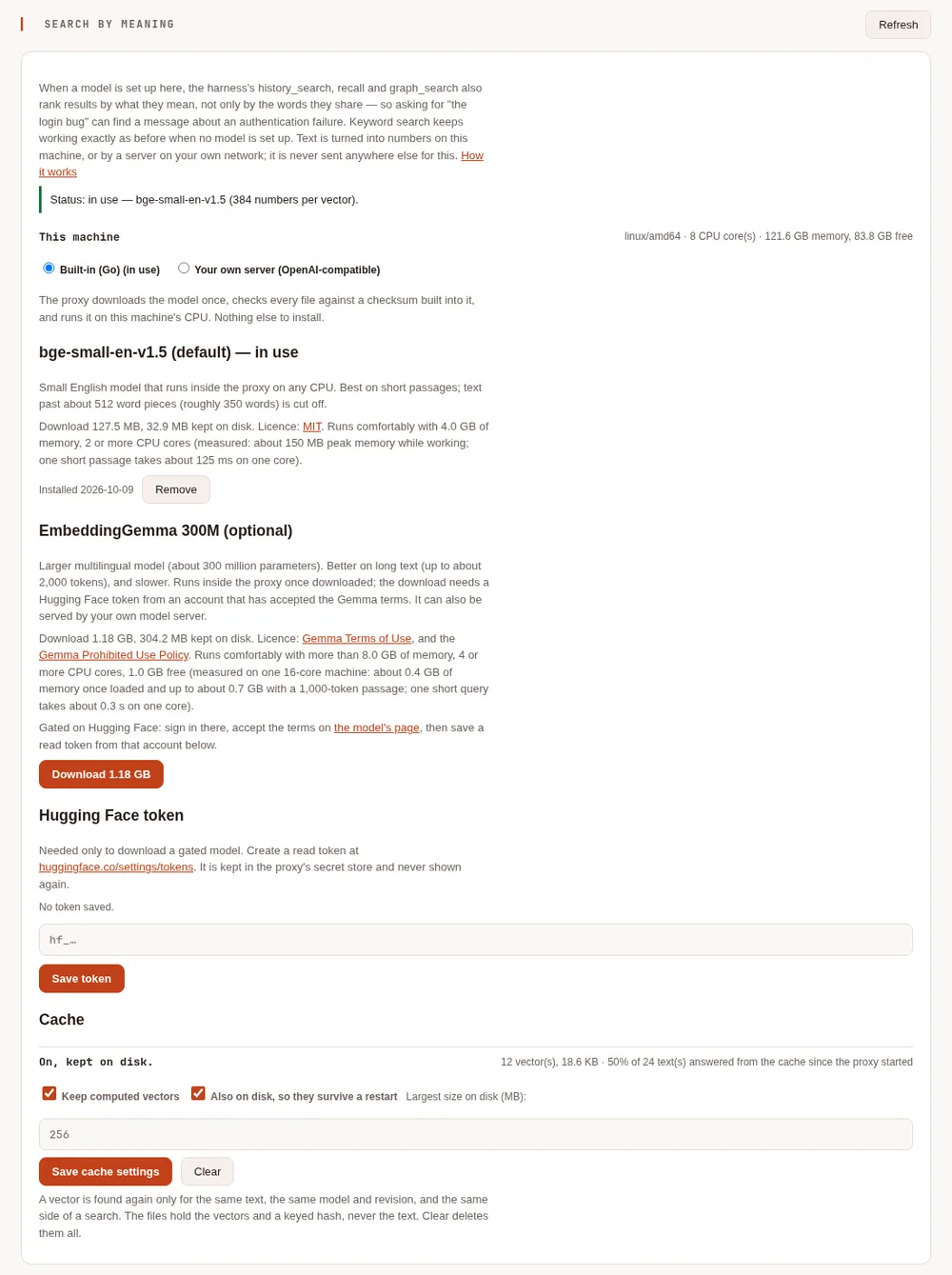
- Built-in (Go): the proxy runs the model itself, on the CPU, with nothing else to install. Pick bge-small or EmbeddingGemma, download it, and press Use this model.
- Your own server (OpenAI-compatible): the proxy sends the text to an embeddings server you already run on this machine or your own network, such as Ollama, oMLX, LM Studio or llama.cpp's server. Use this for a GPU, or for a model the proxy does not have built in.
Switching engines keeps the other engine's settings, so you can switch back. The config keys are listed in the Proxy settings.
Set it up #
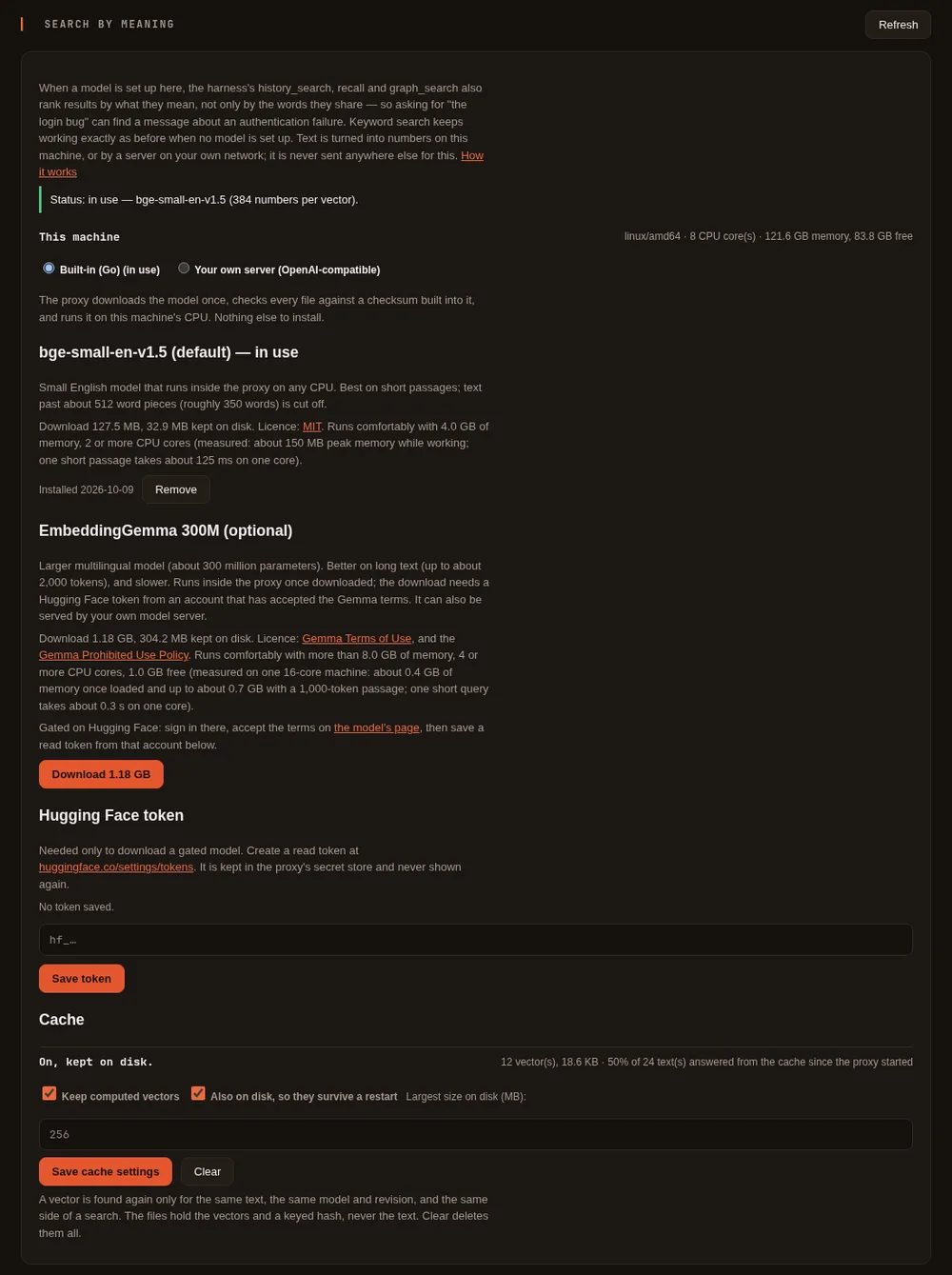
From the setup page: open the proxy's setup page, go to Models & routing, find the Search by meaning card, keep Built-in (Go) selected and press Download on bge-small-en-v1.5. The card shows the download's progress (with Cancel), this machine's memory and CPU cores, and a note if the machine is below what the model is comfortable on. It is installed as soon as the download finishes. There is no restart.
From a terminal:
maple-proxy embeddings list                        # the models, what is installed, and this machine
maple-proxy embeddings install                     # bge-small-en-v1.5
maple-proxy embeddings remove bge-small-en-v1.5
A running proxy picks up an install or a removal on its own. The harness notices within about half a minute and starts building its vectors in the background. A search made before they are ready still works, using words for whatever has no vector yet.
Use EmbeddingGemma built in #
EmbeddingGemma is gated on Hugging Face: Google asks everyone to accept its terms before downloading it.
- Sign in to Hugging Face, open the EmbeddingGemma 300M page and accept the terms there. Read the Gemma Terms of Use and the Gemma Prohibited Use Policy first.
- Create a token with read access at huggingface.co/settings/tokens, from the same account.
- On the card, paste it under Hugging Face token and press Save token. It is kept in the proxy's secret store
(your system keyring when there is one) and is never shown again. For the terminal, set
HF_TOKENinstead; when it is set it is used first. - Press Download on EmbeddingGemma 300M (or run
maple-proxy embeddings install embeddinggemma-300m), then Use this model (or setembeddings.builtin_model: embeddinggemma-300m).
The token is sent only to Hugging Face, and only for this model's download. The proxy adds the instructions EmbeddingGemma was trained with ("task: search result | query: …") for you. Switching models makes the harness build new vectors in the background; the old ones are not mixed in.
How close it is to the original: measured on 28 September 2026, the proxy's tokenizer gave exactly the same tokens as Hugging Face's own on all 104 test texts (several languages, code, emoji, runs of spaces and newlines), and its vectors matched those of the reference implementation (sentence-transformers) with a cosine similarity of at least 0.997 on each of 20 texts, 0.9994 on average. The small difference comes from the 8-bit weights.
Use your own server #
Any server with an OpenAI-compatible /v1/embeddings works, for example:
| Server | Base URL (default port) | Model name, for example |
|---|---|---|
| Ollama | http://127.0.0.1:11434/v1 | embeddinggemma (after ollama pull embeddinggemma) |
| LM Studio | http://127.0.0.1:1234/v1 | the embedding model you loaded |
llama.cpp's llama-server (started with --embeddings) | http://127.0.0.1:8080/v1 | the model it serves |
| oMLX, or another OpenAI-compatible server | its address, ending in /v1 | the embedding model it serves |
- On the card, choose Your own server (OpenAI-compatible).
- Enter the base URL and the model's name. Enter an API key only if the server asks for one.
- Press Test: the proxy sends one short sentence and shows the length of the vector that comes back, or what went wrong and how to fix it. Then press Save and use.
maple-proxy embeddings test does the same from a terminal, for the server in config.yaml.
Only a server on this machine or your own network can be used: an address on loopback, a private range, a Tailscale
address or a .local name, or one you tick as on my own network. Tick it only for an address you control. A
provider already on the Providers card can be chosen instead of an address. A key is kept in the proxy's secret
store and config.yaml holds only a reference to it. It is never shown again, and it is sent only to the address it was
saved with: change the address and the card asks for the key again. If the model is one the proxy knows (EmbeddingGemma),
its instructions are added for you.
When something goes wrong #
The card's status line, its messages and the terminal commands use the same words. Each problem says what to do:
| What you see | What to do |
|---|---|
| The network is not reachable | Check the connection (and any VPN), then try again |
| The secure connection could not be verified | Check the machine's clock and any network filter that intercepts HTTPS. For your own server, use http:// if it does not serve HTTPS |
| Hugging Face asked for a token (401) | Save a read token on the card or set HF_TOKEN, and accept the terms on the model page with the same account |
| Hugging Face did not accept the token (401) | Create a current read token and save it again |
| Hugging Face refused the download (403) | Accept the Gemma terms on the model page, or use a token that can read gated models |
| The pinned file was not found (404) | Update Maple Harness; if it persists, report it |
| Too many requests (429) | Wait a few minutes, then try again |
| A file did not match its pinned checksum | Nothing was installed. Try again; if it repeats, something on the network is changing the file |
| The disk is full | Free some space and try again. Installing EmbeddingGemma needs about 1.6 GB free while it runs (estimated: the download plus the converted copy) |
| Permission denied | Make sure the embeddings folder in your Maple Harness config folder belongs to you and is writable |
| Refused: a symbolic link | Replace the link with a plain folder. The proxy never follows links there |
| Cancelled | Nothing was installed or changed |
| The download could not be converted | Nothing was installed. Try again, or update Maple Harness |
| Nothing is listening at that address (connection refused) | Start the server and check the port |
| The server does not have that model | Pull or load it first, check its name, and check that the base URL ends in /v1 |
| The server refused the API key, or wants one | Check the key, or leave it empty if the server needs none |
| That model does not produce embeddings | Choose an embedding model, such as embeddinggemma or nomic-embed-text |
| That server is not on this machine or your own network | Use a local address, or tick on my own network if it is yours |
| The vectors change length | Not an error: the harness rebuilds its stored vectors in the background, and searches use words until then |
No message ever contains your token, your key, the server's address or its reply.
Is my machine enough? #
The proxy reads the machine's total and free memory, its CPU cores, its processor type and operating system, and shows them on the card. Before a download it warns, and never blocks, when the machine is below these:
| Model | Comfortable from | Basis |
|---|---|---|
| bge-small-en-v1.5 | 4 GB of memory and 2 CPU cores | measured: about 150 MB peak memory while working. One short passage takes about 125 ms on one core |
| EmbeddingGemma 300M (built in) | more than 8 GB of memory, 4 or more CPU cores, and 1 GB free | measured on one machine (below): about 0.4 GB of memory once loaded, up to about 0.7 GB while reading a 1,000-token passage |
Speed of the built-in model, measured on one machine (a 16-core, 32-thread x86-64 processor, Linux), 28 September 2026:
| CPU threads used | Short passage (23 tokens) | Medium (82 tokens) | Long (512 tokens, the most it reads) |
|---|---|---|---|
| 1 | 124 ms | 444 ms | 3.3 s |
| 2 | 85 ms | 302 ms | 2.0 s |
| 4 | 51 ms | 154 ms | 1.1 s |
| 32 | 28 ms | 78 ms | 0.53 s |
EmbeddingGemma 300M built in, measured on the same machine the same day. It is a larger model, so it is slower:
| CPU threads used | Short query (12 tokens) | Medium (65 tokens) | Long (527 tokens) | Longer (1,045 tokens) |
|---|---|---|---|---|
| 1 | 0.33 s | 1.6 s | 15.9 s | not measured |
| 4 | 0.11 s | 0.51 s | 4.4 s | 9.4 s |
| 32 | 0.06 s | 0.21 s | 1.7 s | 3.4 s |
With many short texts at once, one per thread, it managed about 3 a second on 1 thread, 12 on 4 and 43 on 32. Converting it after the download took about 3 seconds and loading it well under a second on that machine. On a machine with few cores, building vectors for long notes and a large project index can take a long time: bge-small, or your own server with a GPU, is the better choice there.
Many short passages at once run one per thread. On the same machine that measured about 84 short passages a second with 32 threads, 26 with 4, and 7 with 1. Building vectors for a project index of about 7,100 files and symbols took about 1 minute 46 seconds, once, in the background. Loading the model takes well under a second. Your machine will differ. These are single-machine figures, not a promise.
What changes for the agent #
| Tool | With a model | Without one |
|---|---|---|
history_search | Results ranked by words and meaning combined. The filters (role, tool, path, turn range) apply first, as before | Words only, unchanged |
recall | Gains a query argument that returns the eight closest notes by words and meaning. Without query it lists notes as before | No query argument; unchanged |
graph_search | Name matches, plus the files and symbols closest in meaning, combined | Name matches only, unchanged |
recall gets its query argument only when a model is set up at the time the session starts, so a session without one
sees exactly the tool it always had.
Measured results #
A retrieval test, measured on 28 September 2026: queries worded differently from what they look for, over a 43-message coding conversation (24 queries), 24 project memory notes (16 queries), and this project's own index of about 7,100 files and symbols (16 queries). Each query was run twice through the real tools, words only and words plus meaning, and the target's position was compared. "Recall@1" is how often the target came first, "recall@5" how often it was in the first five.
| Store | Words only @1 / @5 | bge-small @1 / @5 | EmbeddingGemma @1 / @5 |
|---|---|---|---|
| Conversation history | 13/24 / 18/24 | 17/24 / 20/24 | 16/24 / 20/24 |
| Memory notes | 8/16 / 11/16 | 11/16 / 12/16 | 12/16 / 14/16 |
| Project index | 3/16 / 3/16 | 5/16 / 8/16 | 6/16 / 10/16 |
Per query, with bge-small, adding meaning moved the target up in 8 history queries, 6 note queries and 7 index queries, and down in one note query. It moved no target down in history or the index. With EmbeddingGemma it moved targets up in 8, 8 and 10, and down in none. Queries that share a distinctive word with their target were found first with words alone in 14 of 16 cases. Adding meaning kept them there or improved them.
Read these numbers with their limits:
- One small test set, written by the maintainer, texts and queries both. It shows that combining helps on text worded differently. It is not a general benchmark.
- The ranking is deterministic: running the test again gives the same numbers. Speed figures are from one machine. EmbeddingGemma ran in Ollama on that machine's integrated GPU; the built-in one gives nearly the same vectors (see above) and was not re-measured on this test.
- For the memory notes, "words only" is the new
queryargument ranking by words, becauserecallhad no search before. - Plain names such as
quantizeorProjectRootare whatgraph_searchalready finds. Adding meaning kept every one of them first.
The proxy's cache #
The proxy keeps every vector it computes, so a text it has already seen is answered at once instead of computed again: the harness re-reading the same messages, notes or files costs almost nothing the second time. In a request with several texts, only the new ones are computed, and the answer keeps the order you sent.
- An entry is found only for the exact same text, the same model (its name, its revision or the checksum of its files, and its vector length; for your own server, its address and model name), and the same side of a search (query or document). Switching model or engine never returns a vector from the one before. A vector from the cache has exactly the numbers the model computed for it.
- Your own server gives no revision, so the proxy asks it for one fixed check sentence when it starts using the cache and again every ten minutes. When the answer no longer matches, the server's model has changed under the same name and the cache is emptied. Between two checks a changed model can still be answered from the cache: clear it after replacing a model on your server.
- It is kept in memory (up to 64 MB) and on disk in the
embeddings/cache/folder of your Maple Harness config folder (up to 256 MB, oldest first out). The folder is private to you, each file readable only by you, written to a temporary file first and then renamed, and never through a link. A file holds the numbers and a hash keyed with a random secret made for your install and kept in the proxy's secret store, never the text, so the files alone cannot confirm a guessed text. When the secret store cannot keep that secret, the cache stays in memory for that run. A damaged file is ignored and deleted. - The Search by meaning card shows its size and how often it answered since the proxy started, has a Clear
button, and switches it off, off the disk, or to a smaller size (
embeddings.cache,embeddings.cache_diskandembeddings.cache_max_mbin Proxy settings). In a terminal:maple-proxy embeddings cache statusandmaple-proxy embeddings cache clear.
Where things are kept, and removing them #
| What | Where | Removed by |
|---|---|---|
| A built-in model | embeddings/bge-small-en-v1.5/ or embeddings/embeddinggemma-300m/ in your Maple Harness config folder (folder private to you, files readable only by you) | Remove on the card, or maple-proxy embeddings remove <name> |
| The Hugging Face token, and your server's API key | the proxy's secret store (your system keyring when there is one); config.yaml holds only a reference to the key | Remove token on the card; clear the key on the card |
| Vectors for a session's stored history | beside it, as <session>.history.vec | maple-harness sessions rm, and cleanup with the session |
| Vectors for your own (user) memory notes | memory/.search-vectors in your Maple Harness config folder | kept in step with the notes: a deleted note's vector goes the next time recall searches |
| Vectors for a project's memory notes | vectors/<project>/memory.vec in your Maple Harness config folder, never inside the project | the same. A .search-vectors file left in a project's .mapleharness/memory folder by an earlier version is no longer read, and can be deleted |
| Vectors for the project index | beside the index, as <index>.db.vec | maple-harness graph wipe, and cleanup with the index |
| The proxy's cache of computed vectors | embeddings/cache/ in your Maple Harness config folder | Clear on the card, or maple-proxy embeddings cache clear |
Every vectors file is readable only by you, has a fixed size limit, is tied to the model that made it (a different
model, or vectors of a different length, start a new one), and is written to a temporary file first and then renamed,
never through a link. None of them holds any text, only numbers. If the harness stops in the middle of saving one, the
temporary file it leaves (.vec- followed by digits) is removed by maple-harness cleanup once it is an hour old.
Privacy #
Text goes from the harness to the proxy it already uses, and no further than a model on this machine or your own network.
The built-in models run inside the proxy. With your own server, the proxy forwards only to an address it can tell is
local, and refuses one that is not. When it forwards, the proxy does not follow a redirect from that server to anywhere
else, and it does not use the HTTP_PROXY or HTTPS_PROXY settings, so the text goes straight to the address you
configured. Mark an address as local only if you control it. The Hugging Face token is sent only to Hugging Face, and
not to the storage host Hugging Face hands a large download to. The
embeddings endpoint on the proxy is behind the same protections as its other endpoints:
open only to programs on this machine by default, and needing an access token when you open the proxy to your network
(see Security). It works on one request at a time and holds at most four more waiting. A request past
that is answered 429 with Retry-After: 2, and one whose caller has gone away leaves the queue. The harness only
asks in small batches, so it does not meet this limit in normal use.
Read next: Proxy settings, Commands and keys.