
See and reduce what a task costs #
On this page
Long agent tasks spend most of their money re-reading a growing conversation on every turn. This page shows you where your spend goes, what the numbers mean, and a few habits that keep it down. It makes no promise about how much you will save: that depends on your tasks and your models, so measure your own.
In plain words #
- What it is. Most of a long task's cost is the model re-reading the conversation on every turn. Maple shows you where that goes.
- Why you want it. You see which habits and settings help on your own work, instead of guessing.
- The clicks.
/costin a session; on the setup page, the Cache tab, which also says why the cache missed, per tool, with advice.
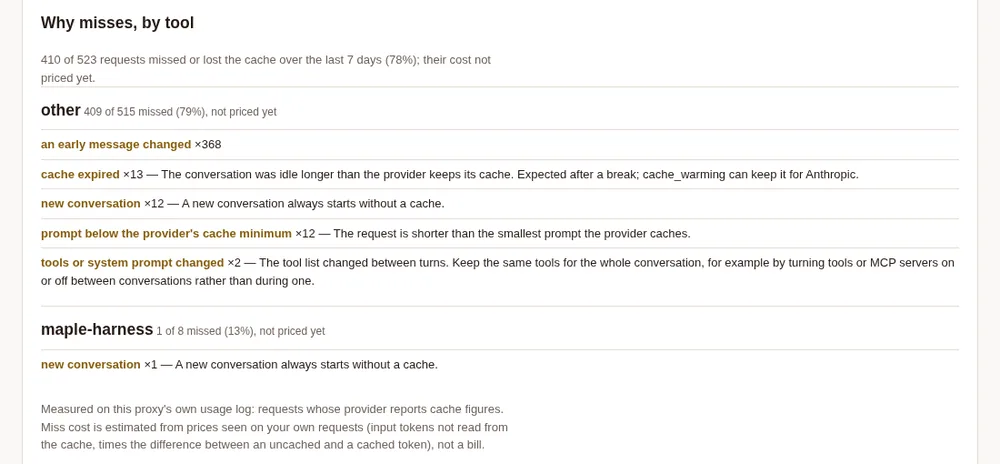
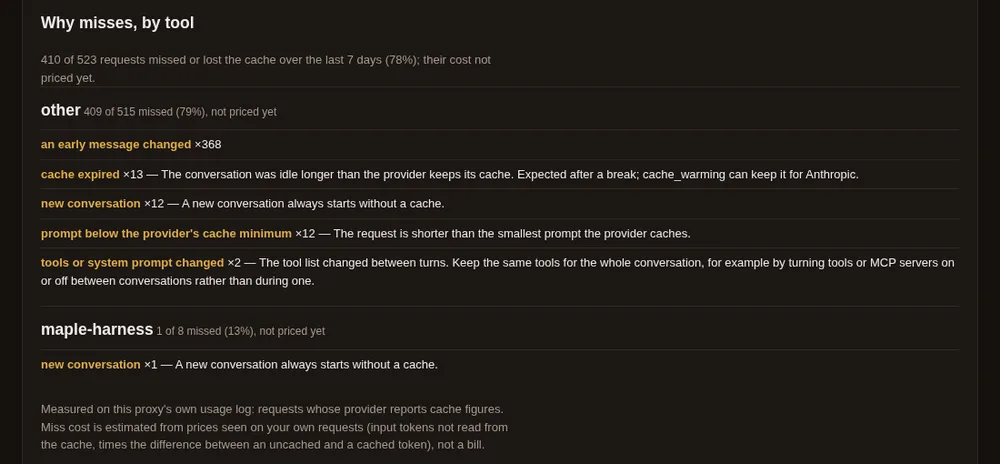
See where your spend goes #
- In the agent:
/costshows the session's totals, the most recent requests with their cache hit rate, any retries, and roughly where the input went (instructions, tool descriptions, your messages, tool output)./contextshows the window and what has been spent so far, including helper agents. - In the proxy: the Cache card on the setup page (
http://127.0.0.1:11539/) shows the hit rate, tokens read and written, AI units, a table per model and per tool, and the moments the cache stopped helping, with the likely reason.maple-proxy cacheprints the same in a terminal (--recentlists the last requests,--jsongives the raw figures). - Check it on your own tasks. Testing the cache on your own account, comparing whole runs with a setting on and off, and measuring with a spending cap are all in Check it yourself.
What the numbers mean #
Hit rate. The share of a request's input that the provider served from its cache instead of processing again. A long task with a stable start should sit high; it drops when something early in the request changes.
Tokens written and read. The first time the provider sees a stretch of your conversation it stores it, which is a write. Later requests that begin with the same stretch read it back. On a provider we measured, writing cost about twelve times as much as reading, so the cost of a long task is mostly the reading, repeated every turn, and the best lever is a shorter conversation, not a smaller reply.
AI units. What Copilot charges per request, shown next to the tokens. Different models have very different prices for the same tokens, which is why choosing the model matters more than most other settings.
Habits that keep costs down #
- Keep one model for a long task. Switching models mid-task starts the provider's cache over, and the whole
conversation is written again.
/model autokeeps your model when it fits the job for this reason. - Start a new task in a new session. A fresh session starts with a small conversation. Carrying an old, finished task into a new one means paying to re-read it on every turn.
- Let helper agents do the noisy searching. A subagent's long search stays out of your main conversation, so the main one stays small. See Subagents.
- Use trimming only if you understand the trade. The proxy can replace very old, very large tool output with a short placeholder once a conversation is long. It is a setting on the proxy's Guards card and it is off by default: trimming rewrites part of the conversation, which costs one cache write each time it happens, and a model may ask again for something that was trimmed. Turn it on for a long task if the Cache card shows the cost is mostly re-reading, and check the result on your own work.
- Read the Cache card when a bill surprises you. It shows whether the cache was hit, and when and why it stopped.
What we do not do #
Maple Harness does not put a filter between your commands and the model, and does not ask the model to talk in shorthand. Very large outputs are cut at a limit, with a note saying so.
What others have measured #
These are other people's measurements, of other tools, on other models and workloads. They are here for context, not as a claim about Maple.
- rtk, a filter for shell command output that advertises 60 to 90% fewer tokens. In
JetBrains' benchmark (Denis Shiryaev, July
2026; 86 tasks, 425 billed trials, Claude Code with
claude-sonnet-5) it showed, at low reasoning effort, a median +7.6% cost per task (p=0.004) and +13.8% more turns (p=0.03), with new input tokens +3.2%, which was not significant (p=0.23). At high effort it was +0.1% (p=0.99), not significant. Quality was indistinguishable, and JetBrains' conclusion was that it produced no token saving. - Caveman-style prompting, which asks the model to answer in shorthand and advertises 65% fewer tokens. In
JetBrains' study (about 240
billed trials,
claude-sonnet-5, low effort) output tokens fell by 8.5% with no significant difference in quality (p=0.82). A first 10-task run had shown about 30%, which faded as the sample grew, and JetBrains calls a high-single-digit percentage the realistic ceiling. - rtk again, from recorded sessions. An analysis (Yongkyun Lee, June 2026) of 500 recorded Claude Code sessions, which is not a controlled trial, found that the advertised per-command savings came to about 0.5% of total spend, because most tool output never passes through the shell hook and re-reading cached context is cheap.
We measure whole tasks, not single commands, and count our own costs too. /cost and the Cache card let you check
us.
Related #
What /cost tells you · Settings by goal · Your usage data · Check it yourself · Measure with bench · Proxy settings · Harness settings · The proxy and its setup page · Choose a model · Subagents · Troubleshooting